GIF Troubleshooting
Use this guide if you find any issue when placing the image to MyAnimeList
Preface
Ok, in conclusion..... ngl tbh, MyAnimeList CDN is weird as heck. They don't allow you instantly put the animated GIF of mine to be rendered or load the image without the modification first...
I mean... look at this sh*t lol >:(
So I made this file to help you, ofc, solving the problem that you faced when embedding the image to MyAnimeList blog, forum post, or your bio.
This troubleshooting guide can also be used for another type of animated GIF if you found MAL can't load properly the image.
How-To Troubleshooting
-
Choose an animated GIF that appears corrupted, not load, or not rendered completely by MyAnimeList. For instance, I'll choose my pre-modified card that doesn't load:

The size of the card is 360 px width and 240px height.NOTE: If you have GIF file and it's way too big, you can resize it first using PhotoScape X for Windows 10, or PhotoScape for other Windows versions.
- Go to ezgif (https://ezgif.com), and choose GIF optimizer. The purpose of optimizing an animated GIF is to reduce the size of a file with the quality of an image is reduced a little bit.
-
Upload the image, or if you have uploaded it to an image hosting, you can copy the image URL and paste it into the box. In this case, I've uploaded my card into personal GitHub repo, and place the image URL into the box, and tap
Upload!.
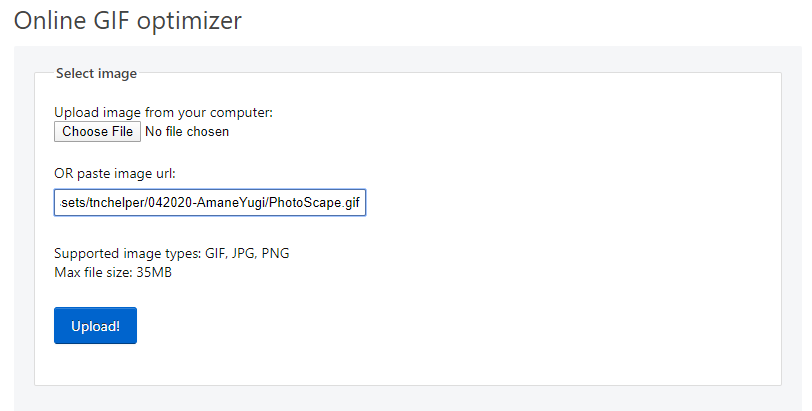
Keep in mind that the maximum file size is 35 MB. -
Scroll a little bit, keep the optimization method to default (
Lossy GIF), but increase the "Compression level" up to 52-70. Also, the more level increased will affect the quality. So, please follow my step, for the safest one.
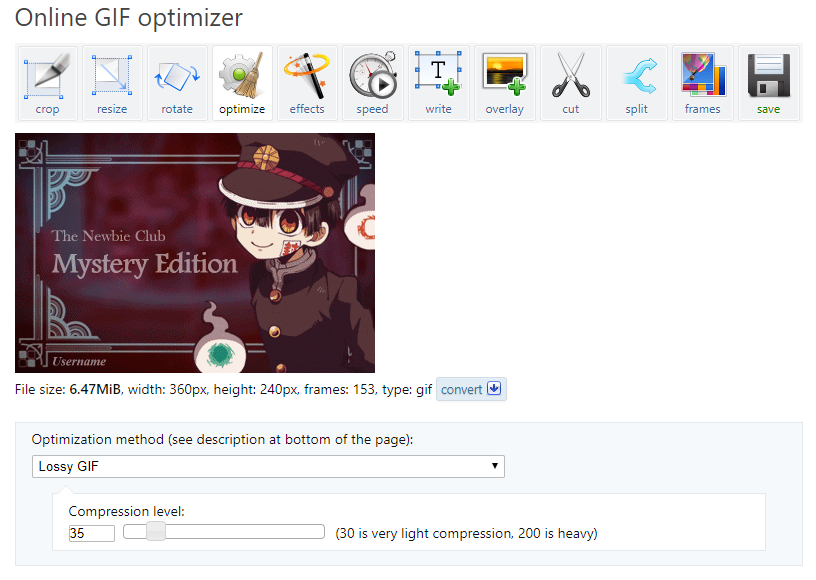
Then, tapOptimize GIF!below the slider -
If optimizer finished optimized the image, click
Save, and you done. OwO
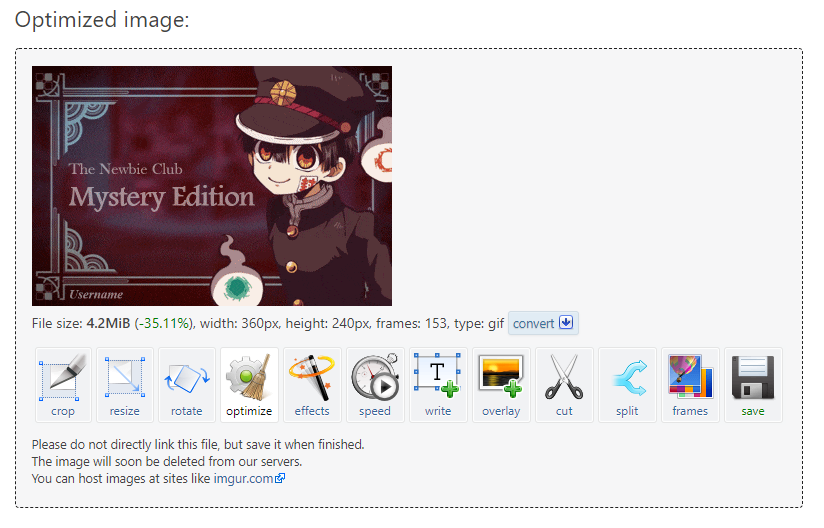
Doesn't work? Open Context menu on save button with clicking right button on your mouse, and clickSave Link as...
The result? Here:

Comparison? here lol
As you can see here, the optimized version is having a lot of noise compared by "original" one... but welp, I don't judge about that lmao.
And here the result on forum:
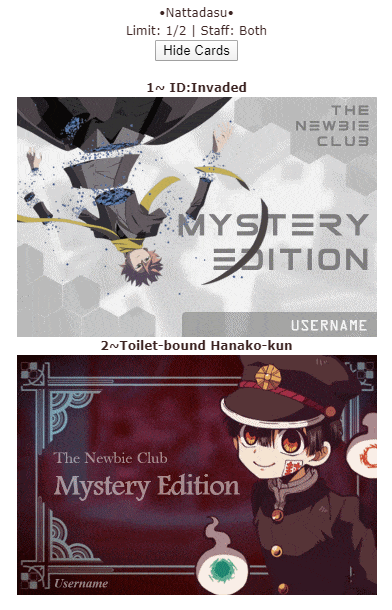
Anyways, those all the steps lol. But, if you facing the same issue, first, you need to check... "is [x] site loaded perfectly on MAL?"
In this case, I'd say... well MAL goes weird again at this one ;-;
Here are some sites I've tested to test "is [x] site loaded perfectly on MAL?"
| Site | Does It Works? | Second Check | Third Check | Fourth Check |
|---|---|---|---|---|
| GitHub | Yes | Yes | Yes | Yes |
| s-ul.eu | Yes | Yes | Yes, but loads slower | Yes, no issue |
| Discord CDN | No, But it should be work lol | Still, No | nah | OMG, IT'S ALIVE |
| imgur | Yes | Yes | Yes | Yes |
| FunkyIMG | Yes | No | No | Yes |
| ImageShack | Yes | Yes | Yes | Yes |
| PostImage | Yes | Yes | Yes | Yes |
First submission: 16 April 2020, 10:46 PM GMT+7
Second: 17 April 2020, 11:22 AM GMT+7
Third: 21 April 2020, 4:00 PM GMT+7
Fourth: 21 May 2020, 1:31 PM GMT+7